From photos to a print
What the Python script does, why both sides matter, and where a photograph leaves missing information.
THE EXPERIMENT BEHIND THE REEL
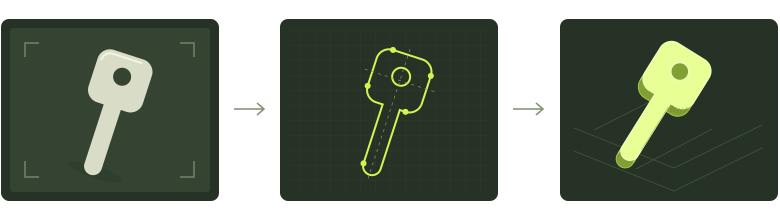
I turned photos of my own key into a printable model. Here’s how the code works, what the print got wrong, and how to try the workflow yourself.
WHAT’S INSIDE
A readable guide and a practical kit, with the assumptions left in.
What the Python script does, why both sides matter, and where a photograph leaves missing information.
A capture and measurement checklist covering scale, alignment, thickness, and the details you can’t infer reliably.
Run the included Python lab with a fictional shape, inspect the mesh in a local viewer, and follow the process step by step.
That was the reported result of an early print. The reel ends before the outcome; this guide explains the gap between a convincing model and a verified fit. A downloadable STL is one step in the experiment.
THE PRODUCT BEHIND THE EXPERIMENT
Explore the photo-to-model tool used for this project. The guide gives you the context; the product is where you try the workflow with your own key.
Use keys you own. Models are experimental; a working key is not guaranteed.
You can read the guide and explore the workflow without a printer. Running the starter lab requires Python and a few packages; the kit includes setup instructions. A printer is only needed if you choose to make a physical sample.
No. The kit uses a fictional silhouette so you can learn how an image becomes a mesh. It does not contain private key photos, personal key models, or a promise that a printed key will operate a lock.
There isn’t one to wait for. After you enter your email, the reading and download links appear right here. They expire after 15 minutes; use “Get fresh links” to renew them. This request does not subscribe you to a newsletter.